A FULL-FEATURED HR & PAYROLL MANAGEMENT SYSTEM WITH ROLE-BASED ACCESS CONTROL.
INTERNSHIP PROJECT
Developed by Joshua Dela Cruz — Lead Developer, sole author of the backend. Designed by Allana Aganan.
ADMIN DASHBOARD
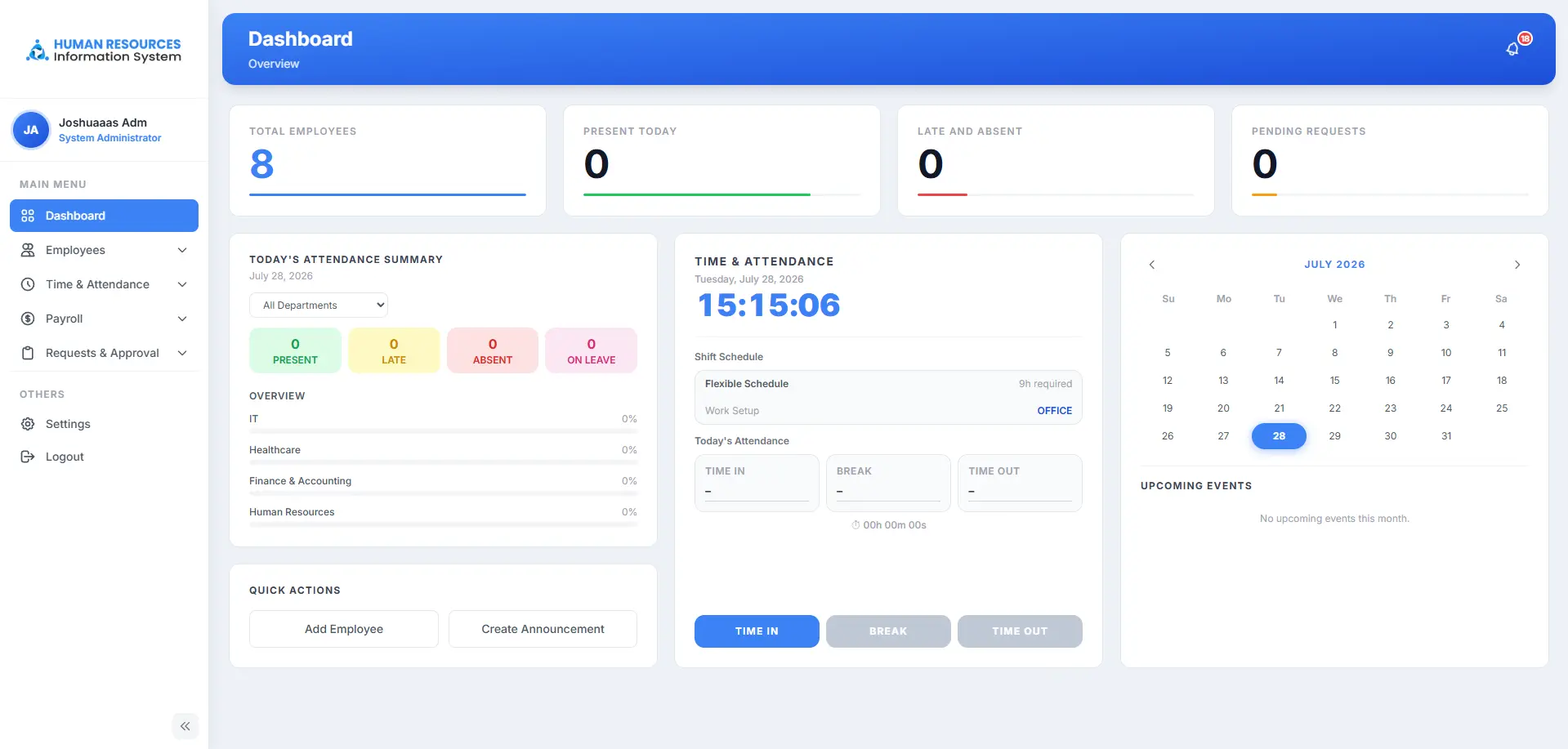
From a single screen, admins can time in and out, post company-wide announcements, and get an at-a-glance view of employee attendance across the organization.
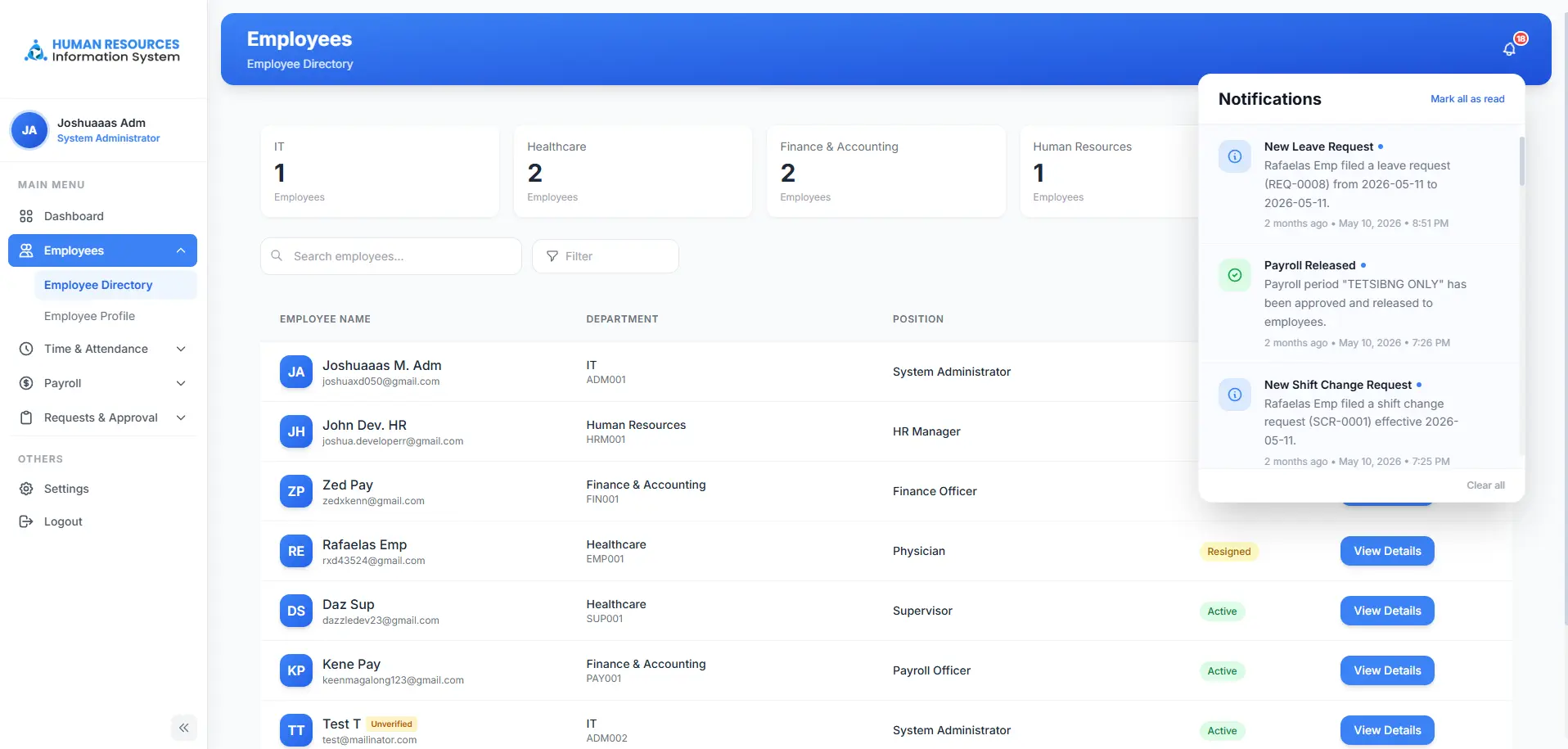
USER MANAGEMENT
Creating, editing, and deactivating accounts is locked to the Administrator role, keeping who has access to the system under a single point of control.
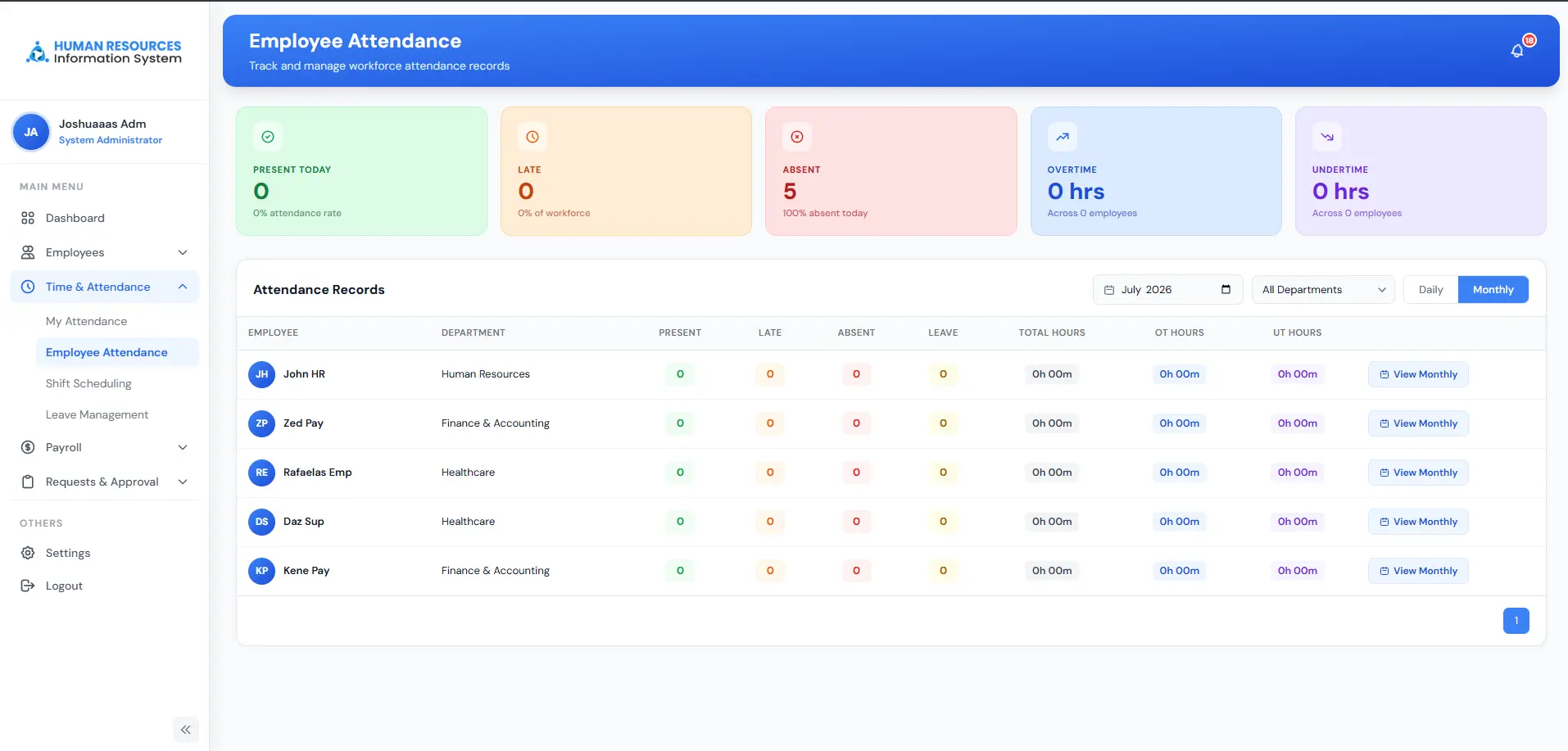
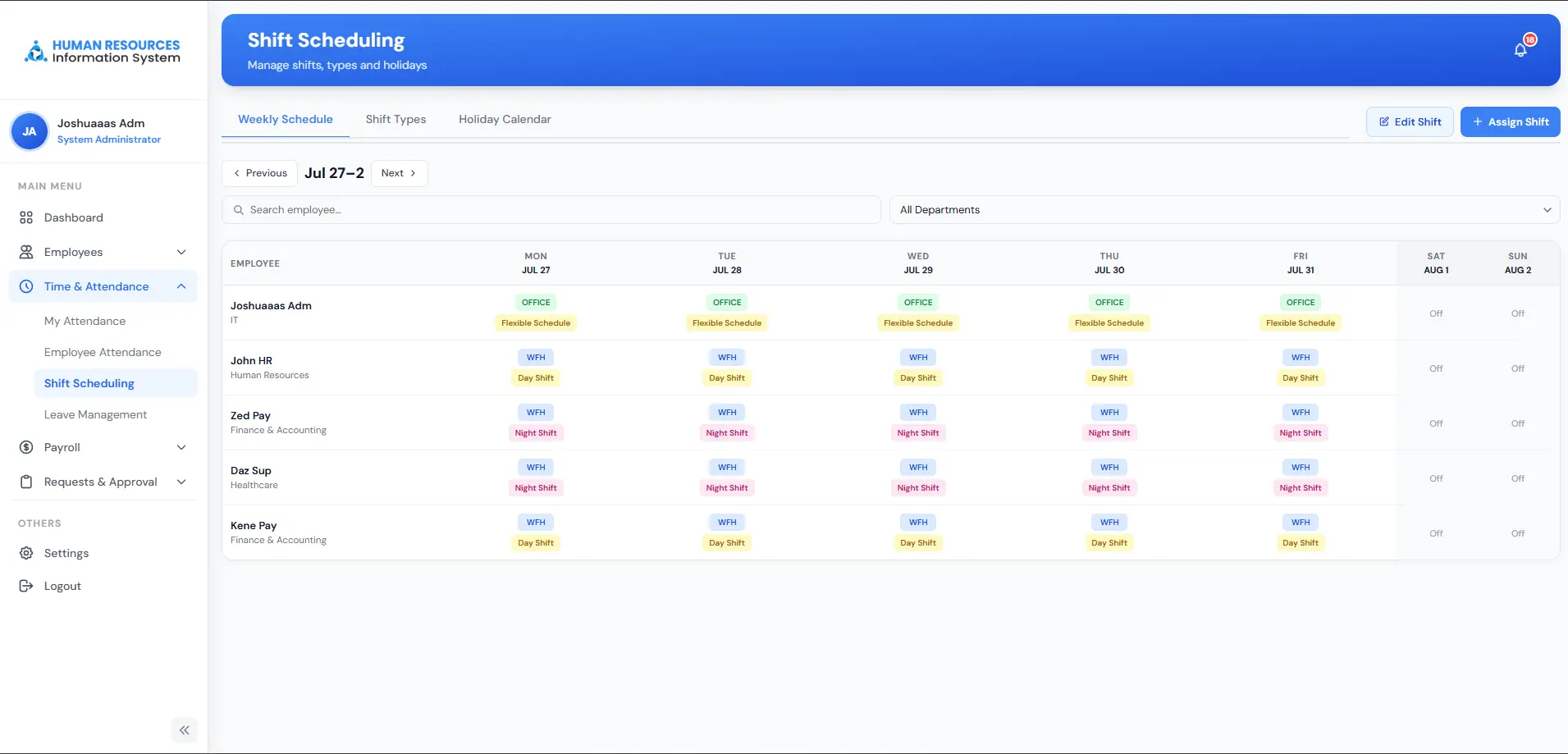
EMPLOYEE ATTENDANCE & SHIFTS
Supervisors and HR can assign shifts, review attendance history, and process shift-change requests as employees submit them.
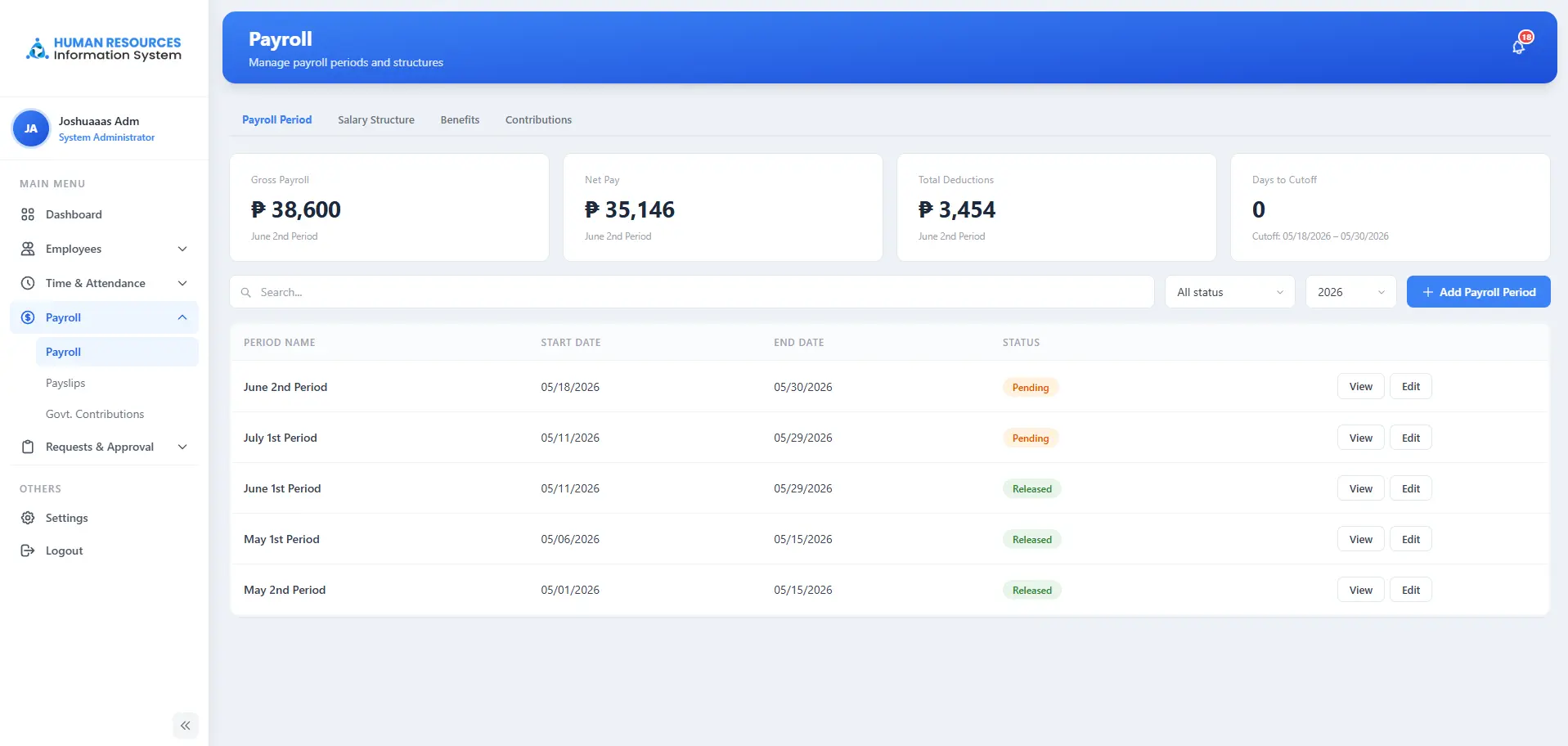
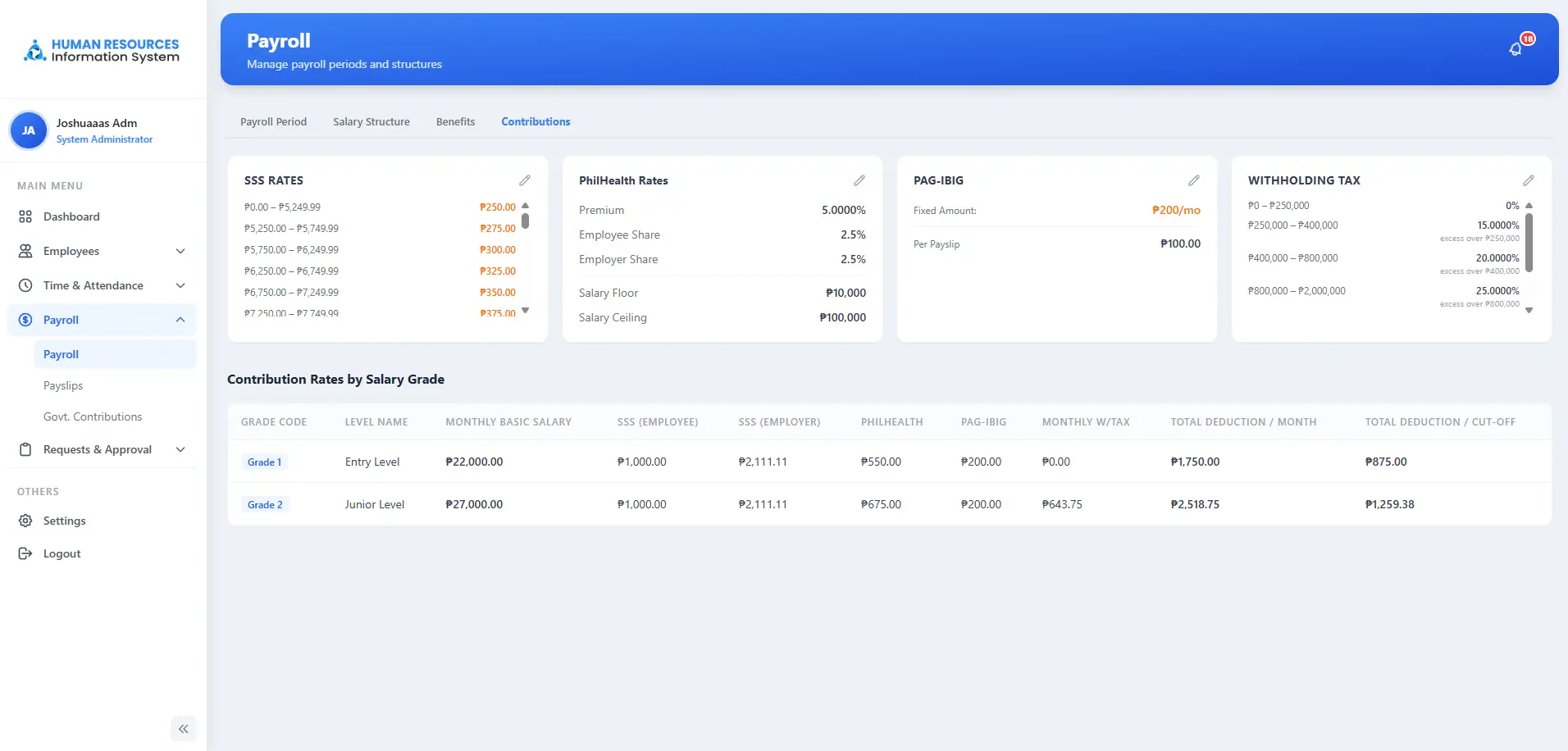
PAYROLL
Payroll is calculated automatically from attendance and approved leave. Tax settings are editable directly in the system, and every edit triggers an instant recalculation — no manual re-runs needed.
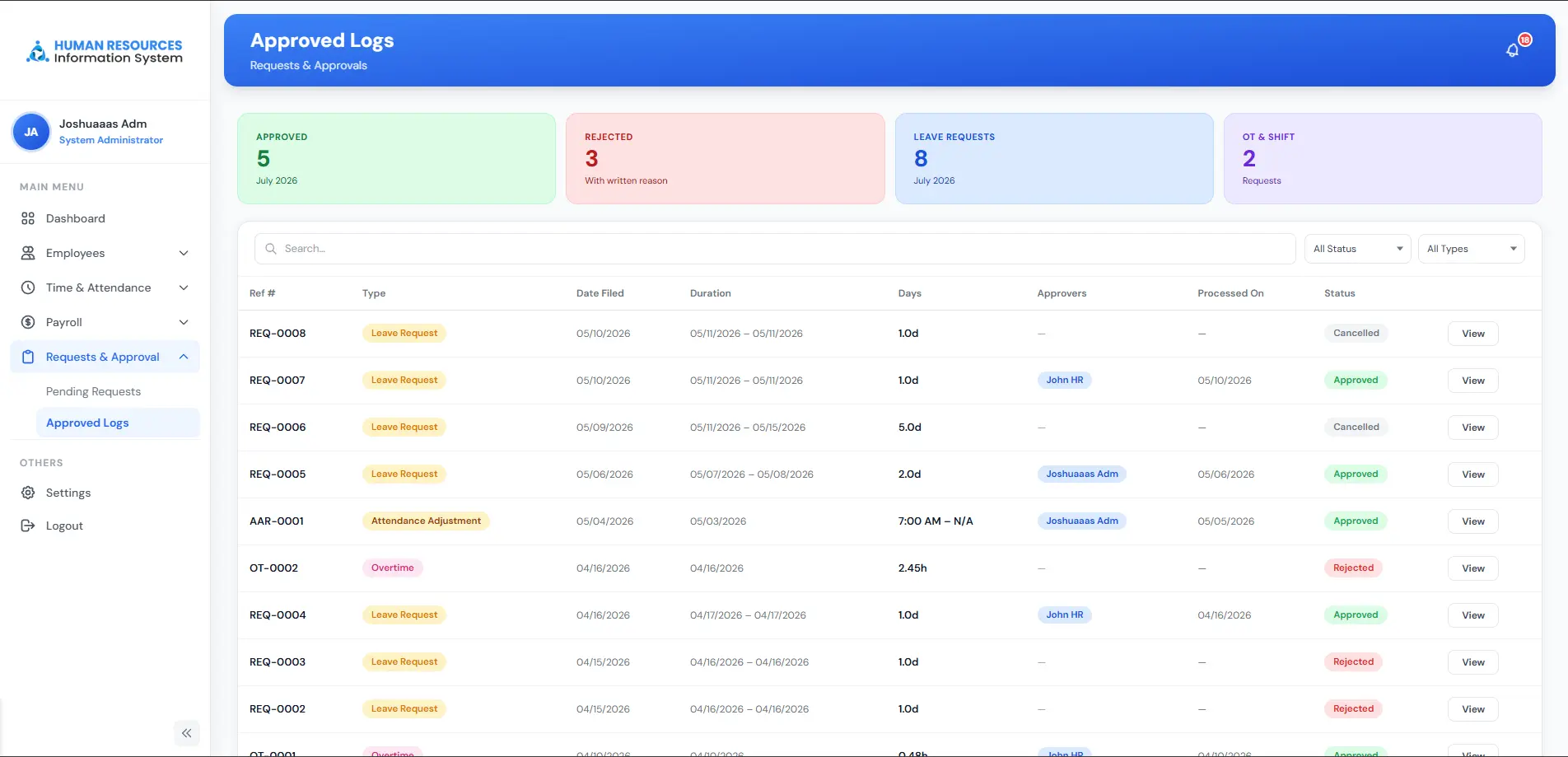
REQUESTS & APPROVALS
Leave requests and shift-change requests flow into a single queue, so approvers can act on what's pending and keep a clear log of what's already been approved.
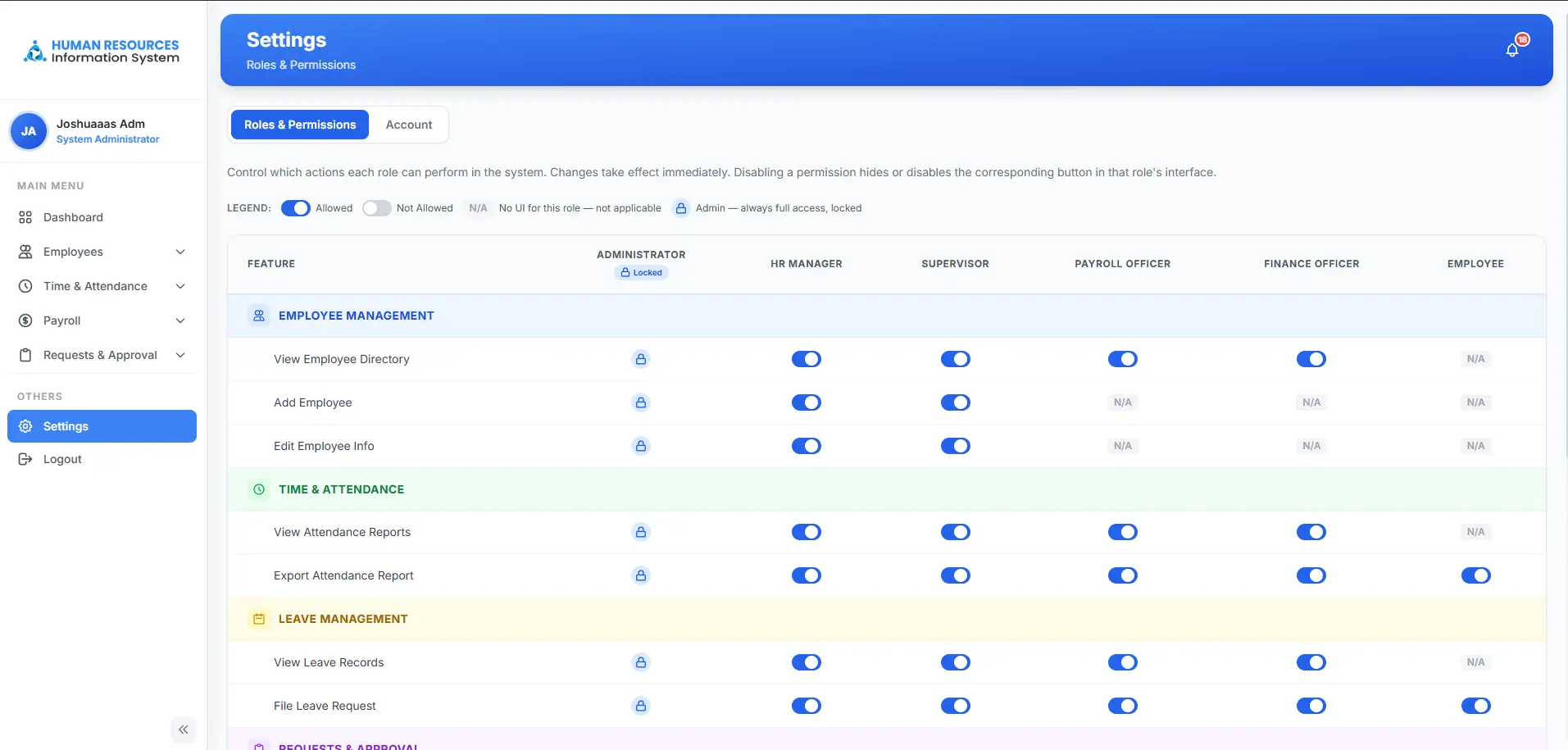
ROLES & PERMISSIONS
Every feature — from viewing the employee directory to exporting attendance reports — can be toggled on or off per role. Only the Administrator role can change these permissions, and it always keeps full access.